
Site Profile
The Site Profile page allows you to manage the global profile settings for your site. These settings are used throughout the application and affect how your nursery is represented and operates.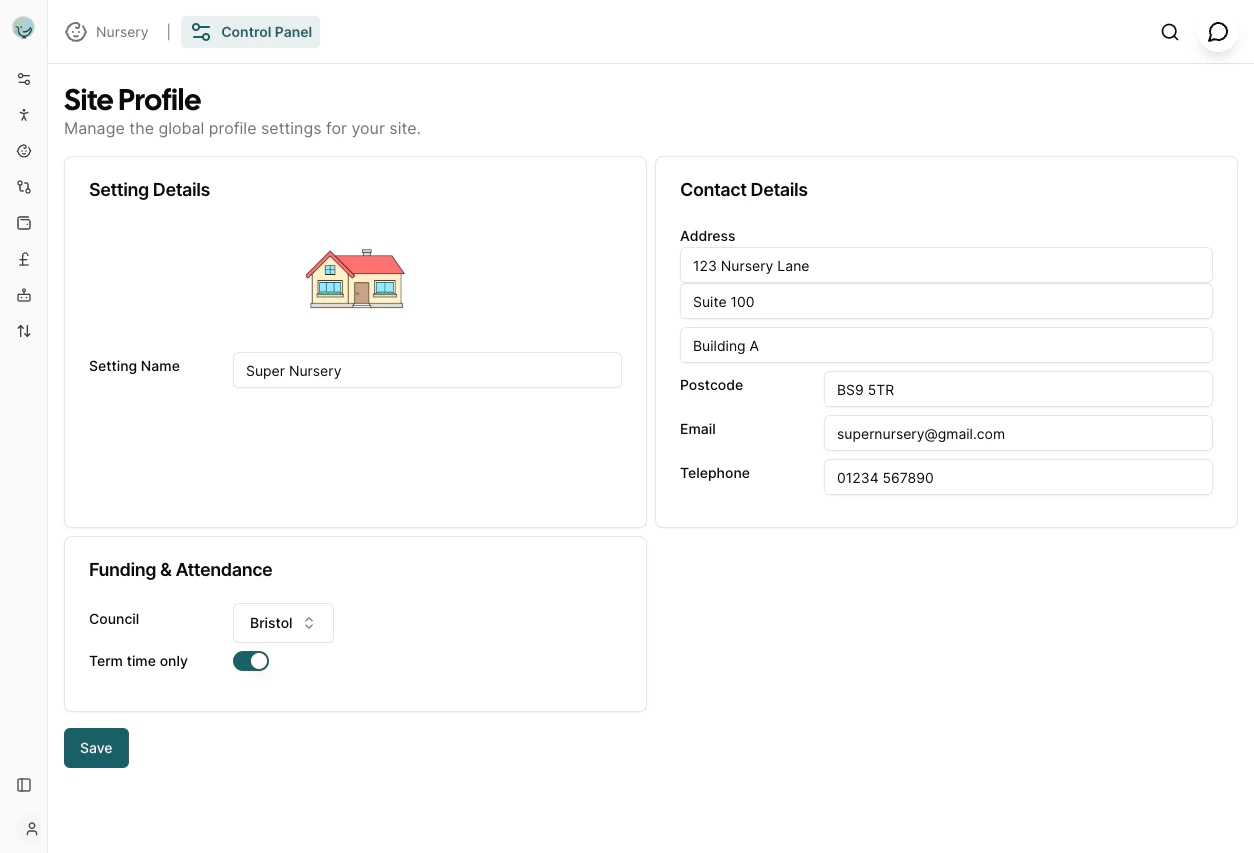
Setting Details
This section allows you to define the name of your nursery.- Setting Name: Enter the official name of your nursery. This name will be displayed in various parts of the application and in communications.
Contact Details
This section is for your nursery’s contact information.- Address: The first line of your nursery’s address (e.g., “123 Nursery Lane”).
- Postcode: The postcode for your nursery’s address (e.g., “BS9 5TR”).
- Email: The primary email address for your nursery. This is used in any communications to parents.
- Telephone: The main contact phone number for your nursery. This is used in any communications to parents.
Funding & Attendance
Configure funding and attendance related settings here.- Council: Select the council your nursery is associated with from the dropdown list (e.g., “Bristol”). This determines funding forms, funding rates and term date imports.
- Term time only: Toggle this switch on if your nursery operates on a term-time only basis. This is used for funding calculations and invoicing, it can be overridden per child.
Parent Settings
Control what parents can see and do in the Parent Portal.- Absence Notification Emails: Enter one or more email addresses (separated by semicolons) to receive absence notifications. When set, parents will see an Add Absence button on their My Children page. Leave blank to disable parent absence requests. See Enabling Parent Absence Requests for full details.
- Hide Key Person: When enabled, the key person assigned to a child will not be visible to parents in the Parent Portal. Enable this if your setting prefers not to disclose key person assignments to families.